Table of Contents
- Understanding Prebuilt Gaming PCs
- Key Components to Consider
- Performance vs. Price
- Upgradability and Future-Proofing
- Brand Reputation and Warranty
- Additional Features and Aesthetics
- Making the Final Decision
Understanding Prebuilt Gaming PCs
Entering the world of PC gaming can be overwhelming, especially with the number of choices facing today’s consumers. For many gamers, prebuilt gaming PCs make the journey easier by removing the challenge of assembling parts and the worry of compatibility issues. Delivered ready to use, these systems provide reliable performance straight out of the box, making them an attractive choice for newcomers and seasoned players seeking convenience.
What sets prebuilt gaming PCs apart is the peace of mind they provide. Manufacturers rigorously test these systems to ensure stability and compatibility, letting you focus on your gameplay instead of troubleshooting. Additionally, prebuilt systems often come with technical support options and warranties, making your investment safer and support more accessible.
Prebuilt options save time over building a PC from individual components and typically include the latest hardware tailored for specific gaming genres or requirements. The best prebuilt configurations often feature the latest GPUs, fast processors, and other features designed for seamless gaming experiences. By choosing a reputable source, you can be sure your system will be up to date and ready to play the latest releases.
For gamers with limited technical knowledge or those uninterested in troubleshooting hardware, prebuilt gaming PCs can be the most efficient and hassle-free route into high-performance gaming. Given the evolving nature of PC games, having a reliable, ready-to-use setup is essential for getting the most out of your gaming time.
Key Components to Consider
Understanding the critical hardware inside the case is essential when evaluating a prebuilt gaming PC. The central processing unit (CPU) is the heart of any gaming PC, influencing everything from load times to frame rates. A quad-core CPU is considered the baseline for modern gaming, but six or eight cores are preferred for smoother multitasking and longevity.
- CPU (Central Processing Unit): Look for CPUs from reliable brands such as Intel or AMD, and choose a configuration that matches your usual gaming and productivity workload.
- GPU (Graphics Processing Unit): The GPU impacts visual quality and frame rates. Leading GPUs, such as the NVIDIA GeForce RTX or AMD Radeon RX series, ensure smooth gameplay at even the highest settings. Evaluate the GPU based on your monitor’s resolution and refresh rate.
- RAM (Random Access Memory): In 2024, 16GB of RAM will be the standard for gaming. More RAM allows you to run demanding games and multitask efficiently, which is helpful when streaming or running various background programs.
- Storage: Solid-state drives (SSDs) deliver quick boot times and faster loading in-game, while larger Hard Disk Drives (HDDs) are beneficial for storing extensive game libraries or media files. Many modern systems pair a fast SSD with a high-capacity HDD for the best of both worlds.
For more guidance on assessing core components, see this PC gaming hardware guide by PC Gamer.
Performance vs. Price
Every gamer’s needs differ, so matching your budget to your gaming goals is crucial. High-end prebuilt systems can offer 4K gaming and ultra-fast refresh rates, but these features carry a higher price tag. Conversely, mid-range systems often offer the best value-per-dollar, providing excellent 1080p or 1440p performance for less.
Begin by considering the types of games you play and the visual settings you desire. Fast-paced first-person shooters or the latest AAA releases benefit from higher-end GPUs and CPUs, while indie titles or older games may run beautifully on more affordable hardware. Sites like Tom’s Hardware frequently review and compare prebuilt gaming PCs, helping you pinpoint systems that deliver strong performance and good value.
Upgradability and Future-Proofing
Gaming needs evolve, and your system should, too. When shopping for a prebuilt gaming PC, consider how easily the system can be upgraded. Look for models with spare RAM slots, additional storage bays, and compatible power supplies that support newer, more powerful graphics cards or CPUs. A well-chosen, upgrade-friendly PC can keep pace with the latest technology and growing demands, prolonging the lifespan of your investment.
Also, research the motherboard model included in the system, as this determines compatibility with future hardware advances. Upgradable cases with adequate airflow and space allow for smoother hardware swaps down the road.
Brand Reputation and Warranty
Purchasing from a well-known brand isn’t just about the logo but reliability, after-sales support, and warranty protection. Renowned brands often provide better quality control, dependable components, and accessible customer service. Warranty coverage varies, so prioritize units offering extended or comprehensive plans, which can protect against unforeseen issues and provide stress-free ownership.
User reviews are another valuable resource. Consider feedback from verified buyers, which can point to a manufacturer’s strengths and any recurring issues that may surface after extended use.
Additional Features and Aesthetics
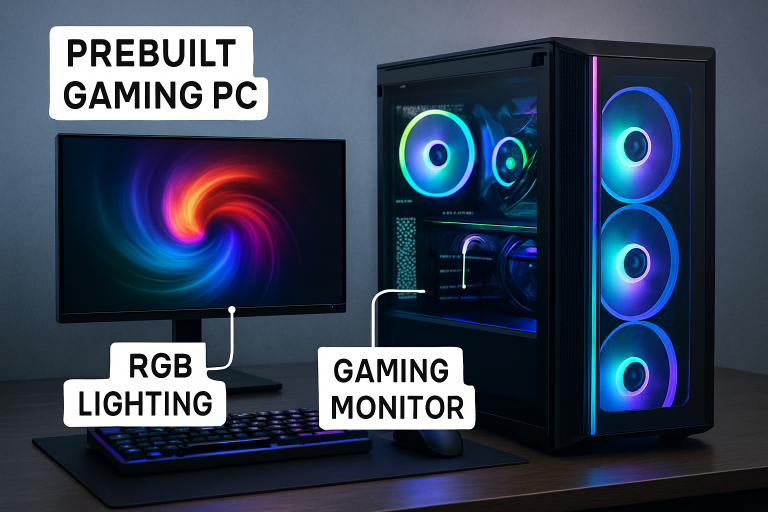
Modern gaming PCs go beyond raw performance. Features like customizable RGB lighting, tempered glass panels, and advanced liquid or air cooling add flair and functional benefits to your system. While aesthetics vary by personal taste, focus on design features that boost cooling efficiency and allow easy maintenance.
Don’t let appearance overshadow technical merits in the end, a stunning-looking PC is only as good as its reliability in action. However, finding a build that matches your favorite color scheme or fits seamlessly into your gaming setup can make your PC a tool and a centerpiece for your space.
Making the Final Decision
Selecting the right prebuilt gaming PC involves more than just picking the flashiest model it requires carefully balancing your gaming needs, future upgrade plans, and budget constraints. Start by identifying the types of games you play most and the performance level you expect, then match those needs to hardware specifications such as GPU, CPU, RAM, and storage. Research thoroughly by reading expert reviews and user feedback from reliable tech sources to gauge real-world performance and reliability. Look for systems from reputable brands that offer solid customer support, clear warranty terms, and room for future upgrades to extend the system’s lifespan. In the end, the best choice is one that matches your gaming style while delivering consistent, dependable performance over time.